One shared library for the whole band. Everyone has the latest version of every song and setlist, and everybody plays from their own part.
No more mailing PDF's around before a gig, and no more musicians on stage with last month's set. A band works in the same app as Setlists: pick the band at the top and you see its songs and setlists.
Everyone on the same page
The band has its own songs, PDF's and setlists. When an admin changes the order of the set or adds a song, every member sees it the next time the app loads. Members play the setlists in the stage viewer and save them on their own device for offline use.
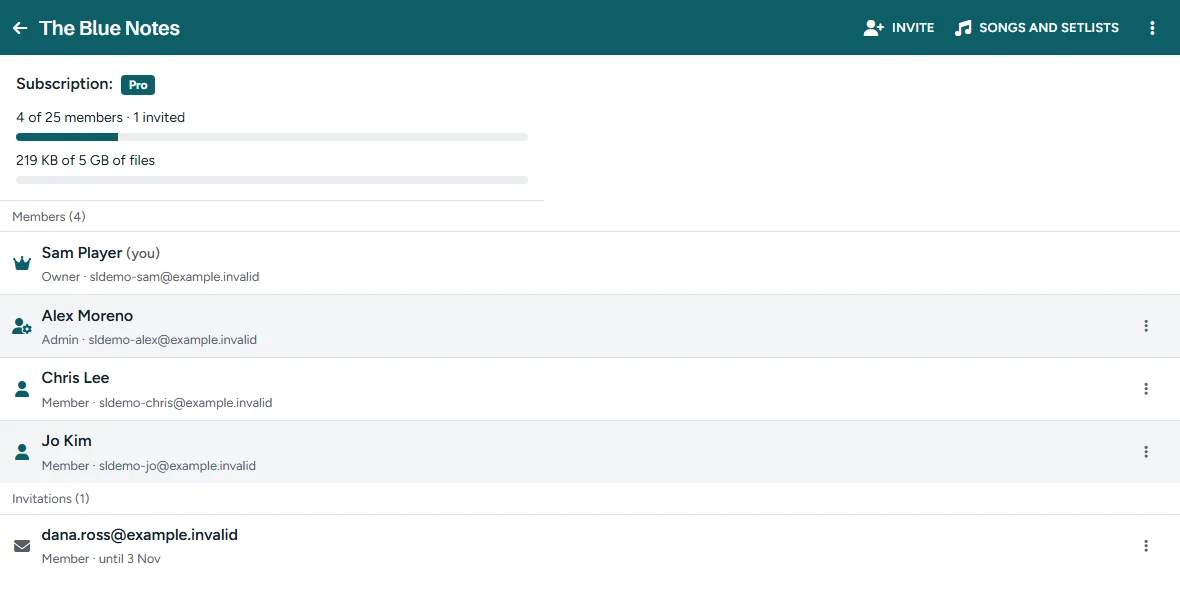
Roles
- Owner: holds the band plan. The owner can hand the band over to an admin, or delete it.
- Admins: manage the songs, the setlists, the shared PDF's and the members. A band can have several admins.
- Members: see the songs and setlists, play them, and add PDF's of their own.
Invite your band by e-mail
Enter an e-mail address and choose a role. The musician gets a personal link, valid for 14 days, and accepts with the account of that address; no account yet takes a minute and is free. Send an invitation again or withdraw it from the band page.
Shared and personal PDF's
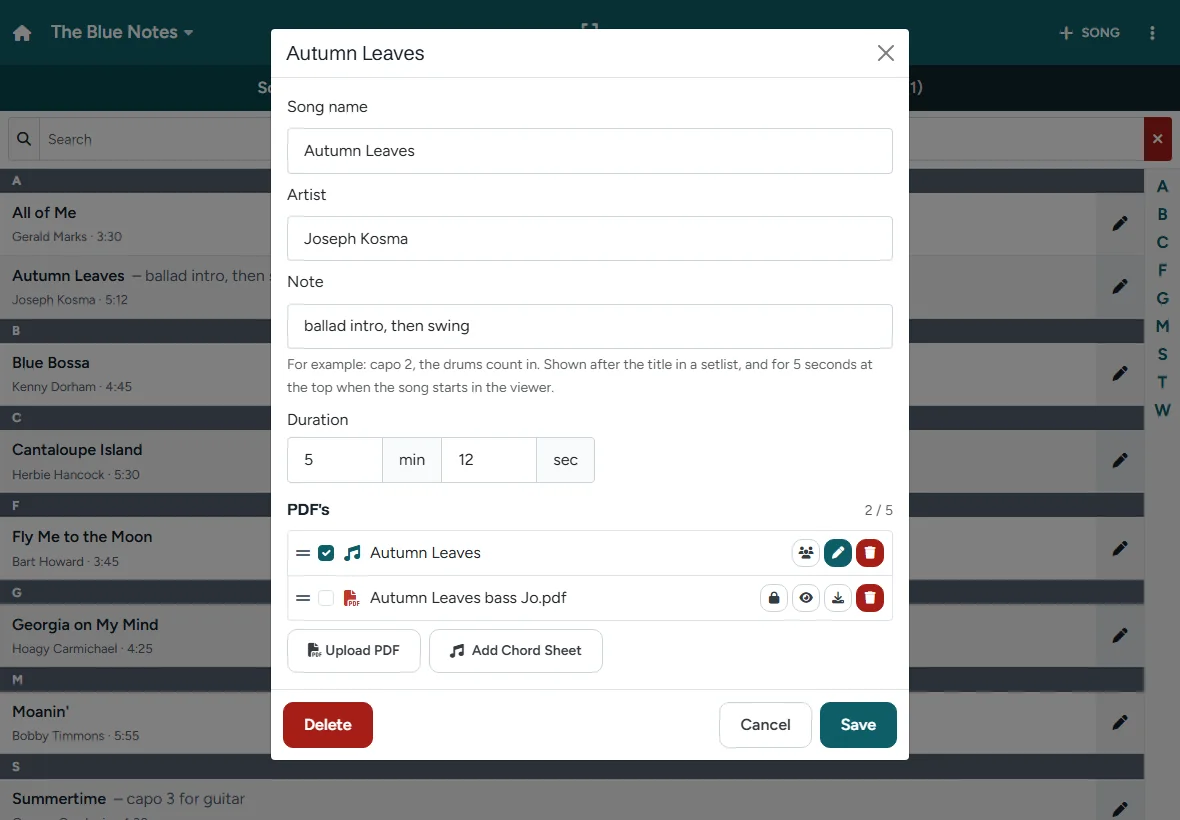
The PDF's an admin adds are shared with the whole band. A member can add PDF's of their own: the bass part with their own notes, or a chord sheet in their own key. Those are seen only by that member and the admins, and an admin can share them with the band.
Each member chooses what the viewer shows: my PDF's and the shared ones, or only my own PDF's. Per song you can tick which PDF's you want. The choice is saved for your account, on all your devices.
No two people editing at once
While someone edits a song or a setlist, the others see who is busy. Nobody overwrites anybody else's work by accident. The lock ends when the editor closes, or after 15 minutes without activity.
Band plans
Every band plan includes Pro for the owner. The plans differ only in size; every band has all features.
| Band plan | Members | Storage | Per year, Pro included |
|---|---|---|---|
| Band Basic + Pro | 6 | 1 GB | € 39 |
| Band Pro + Pro | 25 | 5 GB | € 59 |
Members count the owner and the open invitations. Only the owner pays; members play the songs and setlists of the band with a free account. When a plan ends, nothing is deleted: the band only takes no new members or files. All details are on the pricing page.
Start your band
- Take a band plan for your account.
- Open Setlists, choose ⋮ › Bands and create the band.
- Invite the other musicians.
- Add the songs with their PDF's, and make the first setlist.
- Tap Play at the gig.