Your songs, your setlists and a stage viewer that turns the pages for you. Upload the PDF's you already have, add chord sheets from the editor, and play the whole set from one tablet.
Setlists is part of Pro and works on a tablet, a phone or a laptop. Playing in a band? The members of a band play its setlists with a free account, see Bands.
One library for all your songs
A song has a name, an artist and a duration, and one or more PDF's: the full chart, the bass part, the horn parts or the lyrics. Find a song by searching or with the letter index. Download a PDF again any time, or all files of a song as a zip.
Drag your PDF's onto the screen to add them, several at once: a new song gets the name of the first one. Give a song a note, such as capo 2 or drums count in: it is shown after the title and at the top of the viewer when the song starts.
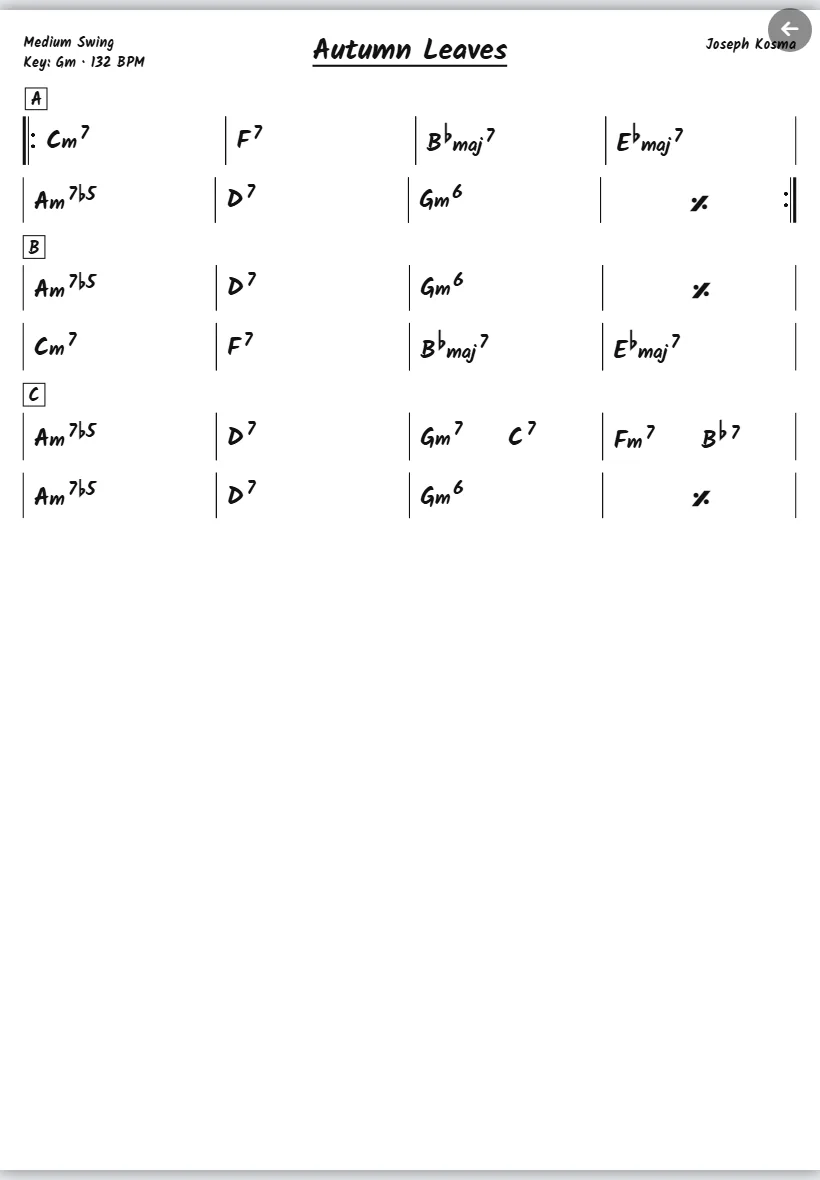
You can also add a chord sheet from My songs to a song. It is drawn live, at the size of the screen, so a change in the editor is in your setlist at once.
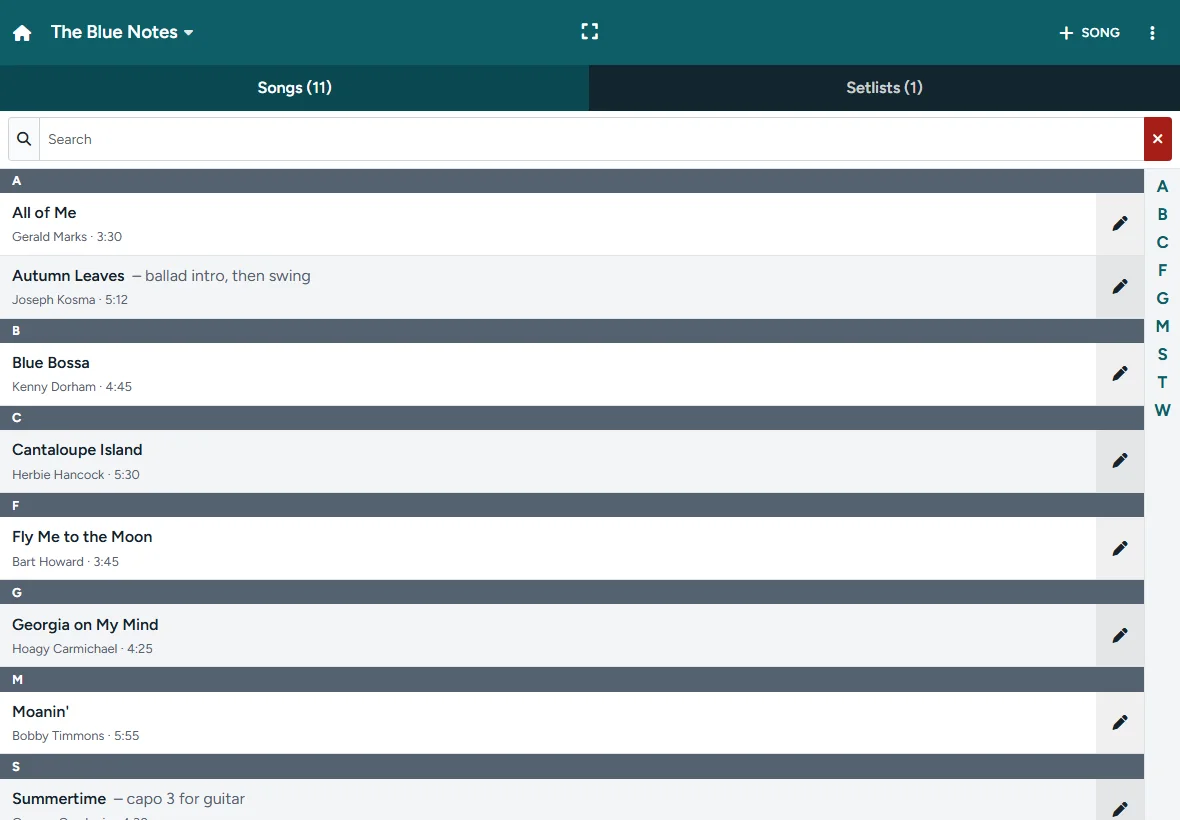
Build a setlist in minutes
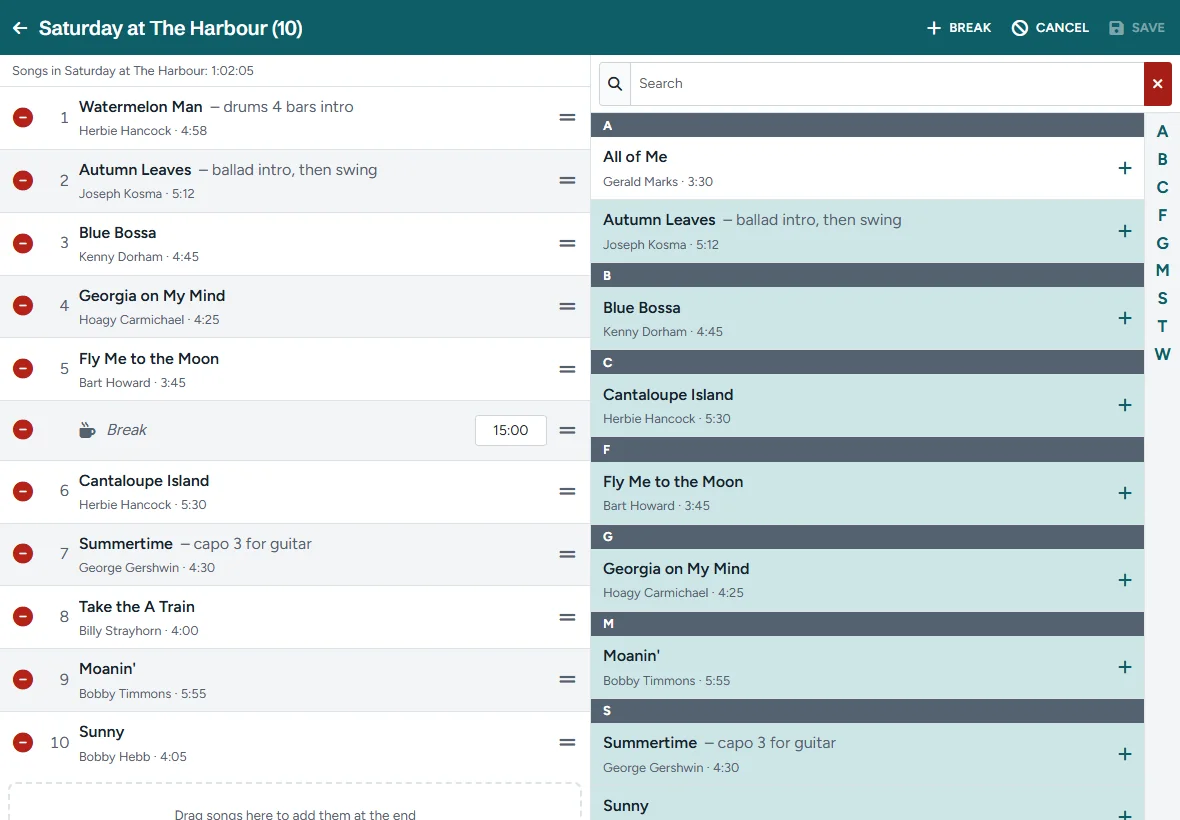
Make a setlist for a gig, tap Add songs and pick them from your library. Drag them in the right order, add a Break with its duration, and see the total time of the set. Copy last week's setlist and change only what is different.
The stage viewer
Tap Play and every page of the whole set is in one row, song after song:
- Turn pages with a swipe, a tap on the edge of the screen, the arrow keys or a Bluetooth page turner (pedal).
- Zoom with two fingers or a double tap; chord sheets stay sharp at every size.
- Jump to any song from the song list, and see the title of the next song when it starts.
- More PDF's per song: small numbered buttons jump straight to each of them.
- Breaks get a page of their own, so you know where the set ends.
- Notes: the note of a song is shown at the top for a few seconds when the song starts.
- Full screen, a light or dark theme, and the screen stays on while you play.
No Wi-Fi at the venue? No problem
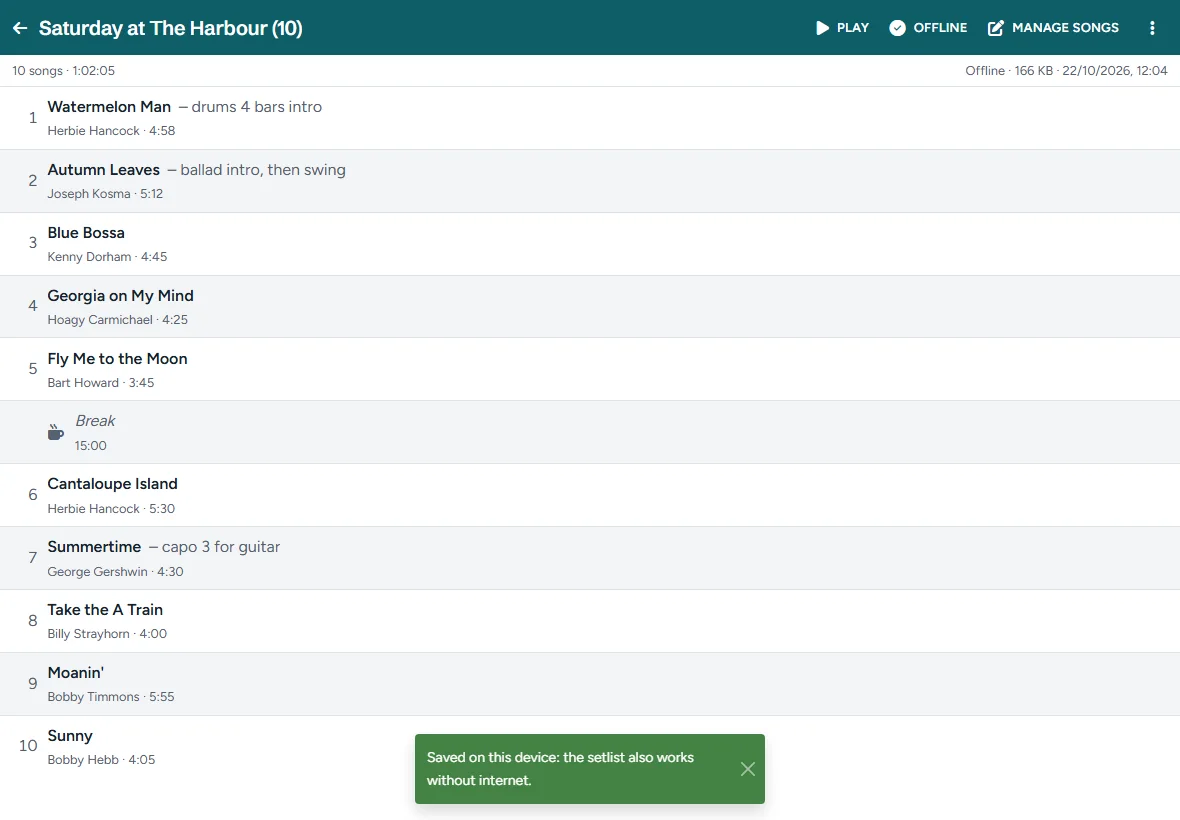
Save a setlist on your device before the gig. Its PDF's and chord sheets are then stored in the browser, and the viewer works without internet. When a setlist has changed since you saved it, the app tells you, and one tap brings it up to date.
Install Setlists as an app on your tablet or phone: it opens full screen, without the bar of the browser, and holds the chord chart editor too.